Table of Contents
Introduction
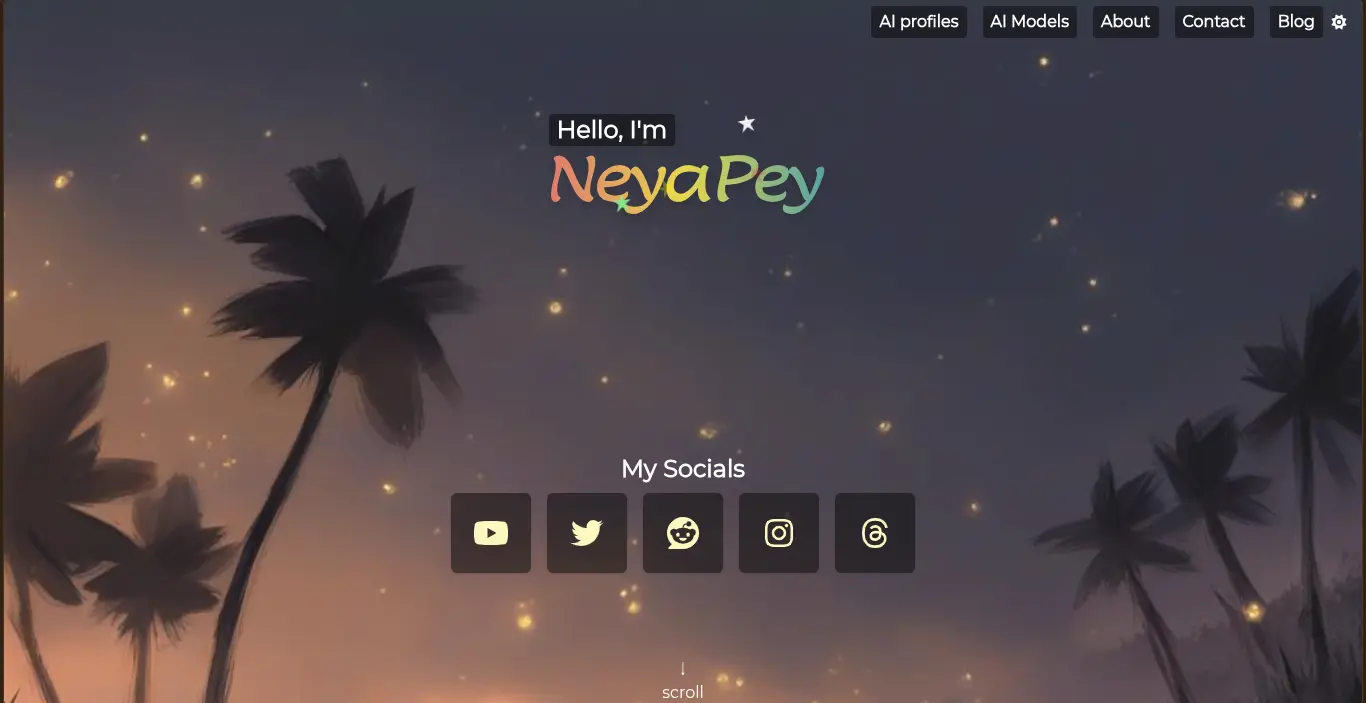
I originally used Sveltekit to create my personal page neyapey.pages.dev on Cloudflare pages. It was simple to setup and extend. It's still remains my favorite framework. But it felt like an overkill for my page. And the constant vulnerability alerts and supply chain attacks made me consider other options.
What this two-part series covers
Part 1 (This post): The motivation, setting up the local workspace, translating components to Tera templates, and migrating CSS.
Part 2 (Next post): Cleaning up the GitHub repository history and configuring the new deployment pipeline on Cloudflare Pages.
Why migrate?
My page is a link store. Instead of using a link-in-bio tools like Linktree, I built my own using Sveltekit. I felt the freedom and flexibility of writing my page to look just the way I liked.
At some point it felt like an overkill. Do I really need to use NodeJS to build a static site? Do I even need JavaScript for my site?
It started with the Dependabot alerts in my email. I had to push new version with updated packages with no real changes to my page. Then came the supply chain attacks that made me afraid to use npm. That's why I started looking for alternatives.
Why Zola?
I looked up static site generators and seek help from Gemini for the alternatives. I had multiple alternatives to consider: Astro, Hugo, Zola or even plain HTML+CSS.
Astro
Astro is cool. It's what I would have used instead of Sveltekit if I had discovered it at the time. It ships no JS by default and almost has similar component as Svelte but without strange syntax like {#each ...}. But it has the same problems. I would sill get Dependabot alerts. I would still be in the npm ecosystem and feel anxious about supply chain attacks.
Plain HTML+CSS
Switching from SvelteKit project into simple HTML+CSS felt appealing. I just had one page, no blogs or index. I would just need few files: index.html and style.css and the assets folder to store images. But it would be overwhelming to maintain one giant html file and there's no simple way to add blog pages without hard-coding the html template. If I need to change something with html structure, I would have to update every single file.
Hugo and Zola
The choice between Zola and Hugo came down to what feels simpler. Hugo, being a more advanced framework with bigger ecosystem, felt intimidating. Zola being described as "single binary" and "easy to use" made me give it a try. I tried making a Zola project, implementing some parts of my web page, which made me feel comfortable. I had found what I wanted. I know I did not give Hugo a chance, but I did not find the need to try another tool. Zola felt perfect for my needs.
Starting the migration: The project structure
Old project
Here is how my project looked before:
.
├── LICENSE
├── package.json
├── pnpm-lock.yaml
├── README.md
├── src
│   ├── app.css
│   ├── app.d.ts
│   ├── app.html
│   ├── components
│   │   ├── ai_card.svelte
│   │   ├── ai_tool_list.svelte
│   │   ├── bg_img.svelte
│   │   ├── footer.svelte
│   │   ├── header_nav.svelte
│   │   ├── screen_title.svelte
│   │   ├── social_link.svelte
│   │   └── stars.svelte
│   ├── data
│   │   └── store.ts
│   ├── routes
│   │   ├── +error.svelte
│   │   ├── +layout.server.ts
│   │   ├── +layout.svelte
│   │   └── +page.svelte
│   ├── screens
│   │   ├── ai_models_screen.svelte
│   │   ├── aitools_screen.svelte
│   │   ├── desc_screen.svelte
│   │   └── intro_screen.svelte
│   └── types
│       ├── aiinfo.ts
│       ├── aitool.ts
│       ├── socials.ts
│       └── starsvgdata.ts
├── static
│   ├── favicon.ico
│   └── images
├── svelte.config.js
├── tailwind.config.cjs
├── tsconfig.json
└── vite.config.ts
The page was broken into many components. If I want to update something, I knew exactly which file to modify. But it was also a mess. Some components were unnecessary. The only place where JS was used was theme switching. I have a background image in the "hero" section of the page. Upon switching the theme, the image switched to light version. The background color of the page also switched to make the image seamless, the bottom edge of the image having same color as background of the page. I had used some weird CSS and JS combination to make it work.
The new Zola directory structure
.
├── biome.json
├── content
│   └── blog
│       ├── _index.md
│       └── sveltekit-to-zola-p1.md
├── sass
│   ├── _base.scss
│   ├── _intro.scss
│   ├── _theme.scss
│   ├── _util.scss
│   └── style.scss
├── static
│   ├── favicon.ico
│   ├── images
│   ├── processed_images
│   └── sakura.css
├── templates
│   ├── blog-page.html
│   ├── blog.html
│   ├── index.html
│   └── partials
│       ├── _index.html
│       ├── about_article.html
│       ├── intro_section.html
│       ├── profiles_article.html
│       ├── social_section.html
│       └── svg_sprites.html
├── themes
└── zola.toml
New structure is simpler, with less components(partials) and no Javascript. In fact, I eliminated the little Javascript that was shipped to the browser for theme switching with pure CSS approach. More on that later.
Migrating the code
Svelte components to Tera templates
I did not, in fact, end up copying all svelte components into Tera templates. I kept the count of components low by creating one component(partial) per section of the home page. Smaller components were either turned into Tera macros or inlined into parent components.
State and Data
Porting state and data was simple. The only state used was for theme switching, which I ended up eliminating entirely. As for data, I was using JS arrays to store all the links, thumbnail URLs, etc and used them svelte components to generate a gallery of "cards" to display the data.
The new approach to storing data was the [extra] section of Zola's configuration file zola.toml:
[extra]
socials = [
    { name = "Youtube", icon = "fa-youtube", link = "https://www.youtube.com/@NeyaPey"},
    ...
]
img_tools = [
    {name = "NightCafe", link = "https://creator.nightcafe.studio/u/NeyaPey", image = "https://thumbsnap.com/i/2d1QDnuA.png"},
    ...
]
...
Then I could use, for example, config.extra.socials in template file and iterate over data to generate HTML.
Dependencies
I was using svelte-fa for icons. It handled the optimization and styling very well. For the new project I ended up creating SVG sprites instead. One partial svg_sprites.html contains all the FontAwesome icons that I need.
Tailwind CSS
Tailwind was another dependency that I had to switch away from. There are ways to use Tailwind in Zola project but I did not want any complexity with my build step. Using the built in SCSS feature also meant that I could split a large CSS file into smaller files and use SASS features if I need them.
It might sound silly, but I initially created an empty tailwind.config.cjs file in the Zola project so that I could see the CSS in IDE hover preview. I copied the styles from these hovers and pasted into the SCSS files. I slowly eliminated tailwind classes with SCSS inside the /sass/ folder.
It still feels slightly wrong that SCSS nested rules are flattened on compilation now that browsers natively support CSS nesting. But it's stil a relief from tailwind's clutter.
Pure CSS theme switching
I could eliminate JS for theme switching thanks to CSS :has rule. I moved from changing classes with JS to CSS variable swapping based on a radio button state.
//default is dark theme
:root {
    --sunny-avg-color: #f1d9b7;
    --starry-avg-color: #2d4e6b;

    --light-text-color: #000000;
    --light-text2-color: #ffffff;
    --light-bg-color: var(--sunny-avg-color);
    --light-bg2-color: rgb(0 0 0 / 0.5);

    --dark-text-color: #ffffff;
    --dark-text2-color: #ffffee;
    --dark-bg-color: var(--starry-avg-color);
    --dark-bg2-color: rgb(0 0 0 / 0.7);

    //dark theme vars
    --text-color: var(--dark-text-color);
    --text2-color: var(--dark-text2-color);
    --bg-color: var(--dark-bg-color);
    --bg2-color: var(--dark-bg2-color);
}

//light theme vars
body:has(#light-theme:checked) {
    --text-color: var(--light-text-color);
    --text2-color: var(--light-text2-color);
    --bg-color: var(--light-bg-color);
    --bg2-color: var(--light-bg2-color);
}

body {
    color: var(--text-color);
    background-color: var(--bg-color);
}
The seamless visual transition between the header image and the page body also worked using this clean pure-CSS approach.
For the blog pages, I avoided writing a lot of CSS and simply used the beautiful Sakura CSS. I did write some CSS, for example the [Enlarge] button you see above the images.
Result & what's next
The result is a fast, modern website with zero npm dependencies and zero JavaScript: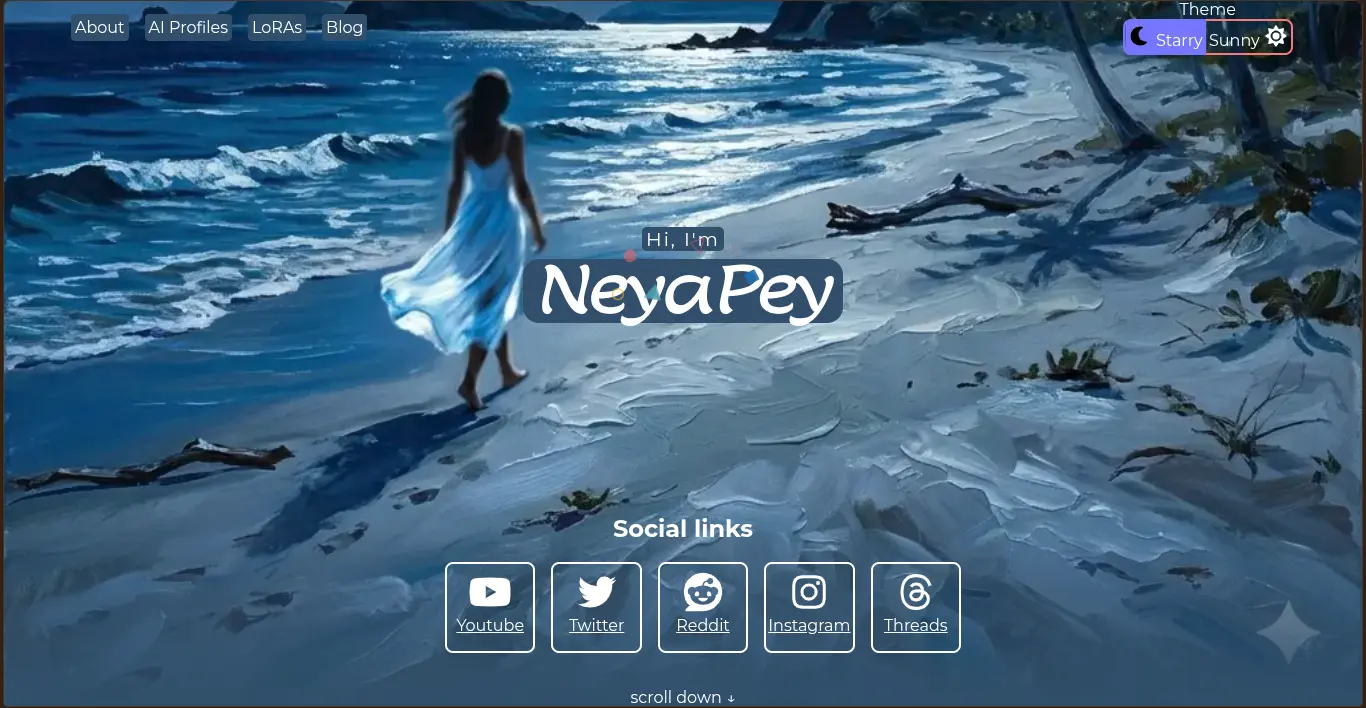
Next Steps: Now that the local project is complete, we need to carefully swap it into the Git repository without destroying our project history, and configure Cloudflare Pages for automatic Zola builds. That's for Part 2.